Analytics
Analytics helps you understand what is happening on the social accounts you manage. Unlike Research, which studies other creators, Analytics focuses on the Active Brand's own Instagram and TikTok accounts.
Connect an account
The Analytics home provides an Instagram connection and a TikTok connection for the Active Brand.
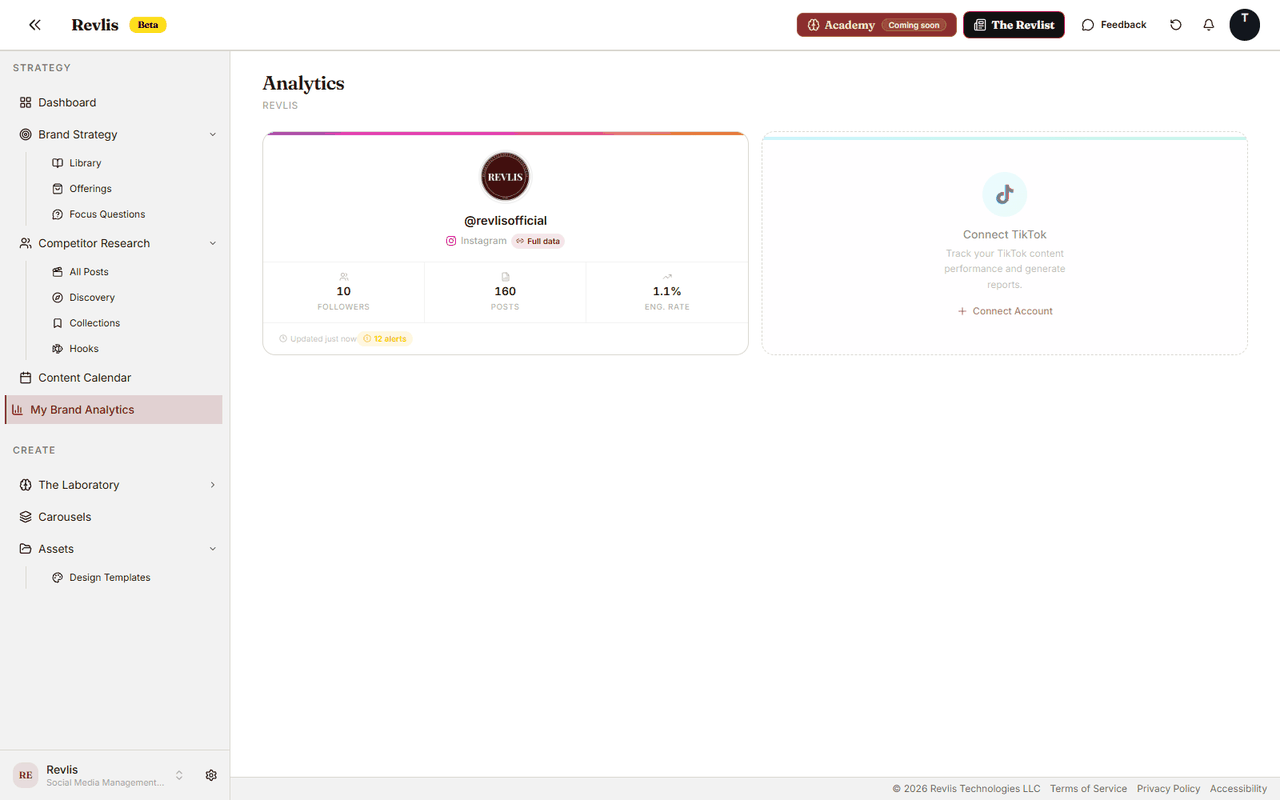
| Connection | What it provides |
|---|---|
| Username connection | Public account and post data, including follower and engagement metrics when they are available. |
| Instagram Login | Private insights for a Business or Creator account, including the Insights tab and richer reporting when Instagram provides the data. |
TikTok connects by username. Instagram connects by username or, when Instagram Login is available for your account, through Instagram Login.
After you connect an account, Revlis imports recent posts in the background. The account card shows Importing posts... while the recent history loads. Instagram Login accounts also show History while an older range is still being imported.
For Instagram Login connections, Revlis imports Instagram Reels as posts. Stories, photos, carousels, and ordinary feed videos are not added to the post library.
Upgrade an Instagram connection
If an Instagram account is connected by username and Instagram Login is available, the account card shows Upgrade your Instagram connection.
Click Upgrade to Instagram Login and complete the Instagram authorization flow. Revlis keeps the existing Analytics account and adds the private insights Instagram provides.
Account overview
Click a connected account to open its Analytics workspace.
| Tab | What it helps you see |
|---|---|
| Overview | Follower count, engagement, posting rhythm, recent performance, themes, and account trends. |
| Posts | The account's posts with search, sorting, and filters. |
| Insights | Private Instagram metrics, alerts, audience information, and benchmark context when available. |
| Reports | Monthly performance reports for this connected account. |
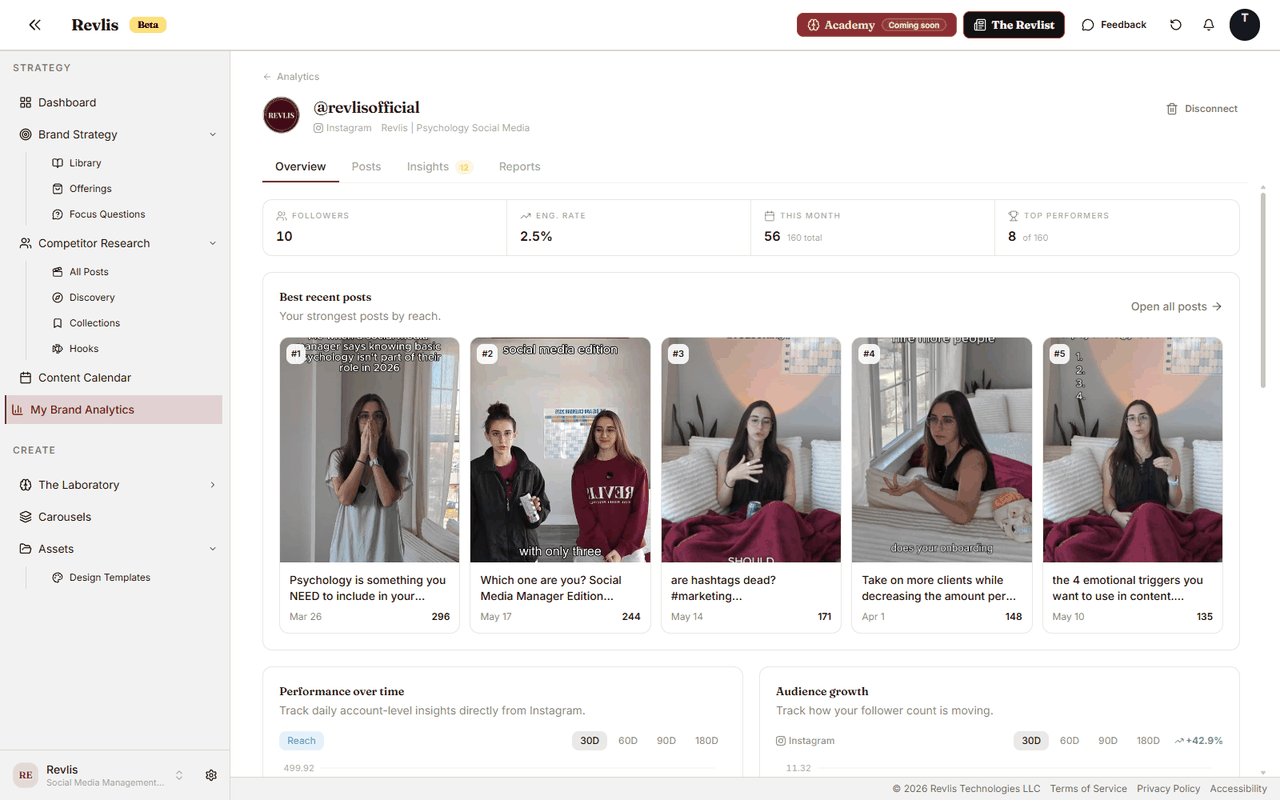
The Insights tab appears only for Instagram Login connections.
Post Detail
Click a post in the Posts tab to open its performance breakdown.
Post Detail can include public performance metrics, private insights, account-average comparisons, performance charts, content tags, comments, and deeper analysis when your plan includes it.
For Instagram Reels, insights can include reach, views, saves, shares, follows, and average watch time when Instagram provides those metrics.
Monthly reports
Open the Reports tab, click Generate Report, and select a month. Reports are created for one connected account at a time.
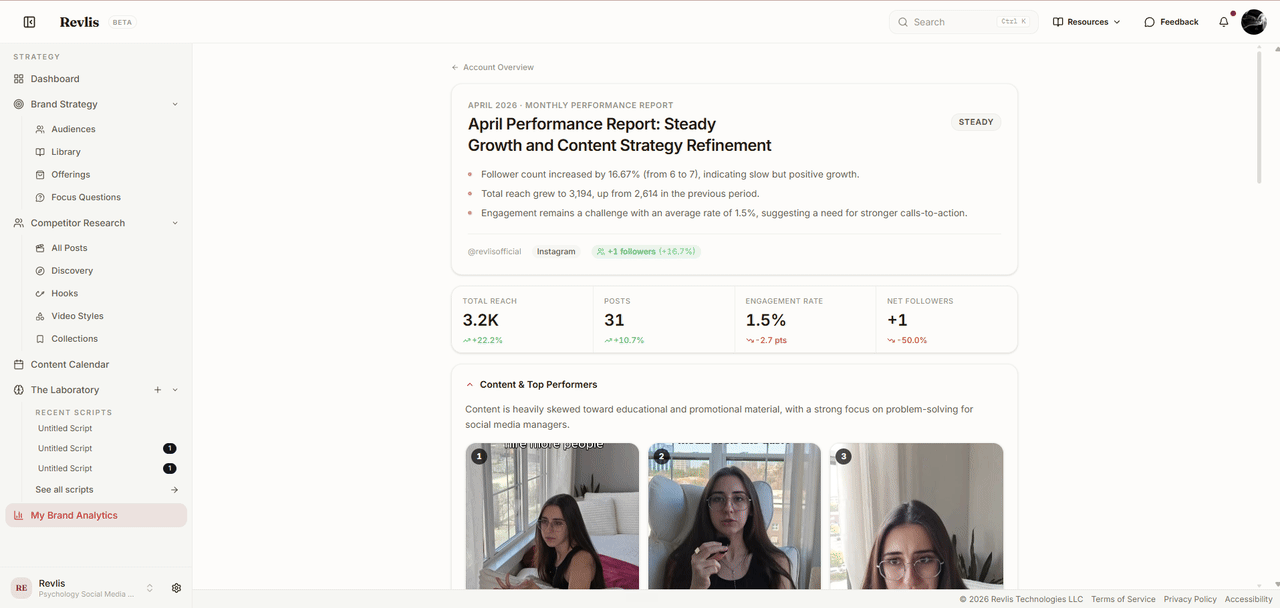
A current report can include:
- A headline, a performance grade, and key takeaways.
- Reach or views, posts, engagement, and follower change.
- Content and top performers.
- Format mix.
- Hook and topic angle.
- Competitor benchmarks in How You Stack Up.
- Standout moments.
- Winners and a watch list.
- Comparison with the previous month.
- Recommendations for what to double down on, experiment with, stop, or refine.
Some sections appear only when the account has enough supporting data. Revlis labels the current month as Partial because more results can arrive before the month ends.
Generating the same month again replaces that month's current report with an updated version. Reports created with an older report format remain readable.
Reconnect Instagram
Instagram Login connections sometimes need authorization again. Revlis shows one of these states when a connection needs attention:
- Needs refresh when the connection needs attention soon.
- Reconnect when the token has expired or automatic refresh is failing.
- Automatic refresh is failing when Revlis cannot refresh the connection in the background.
Open the account and click Reconnect to authorize Instagram again. Username connections are not affected.
Analytics requires a paid plan.