Assets
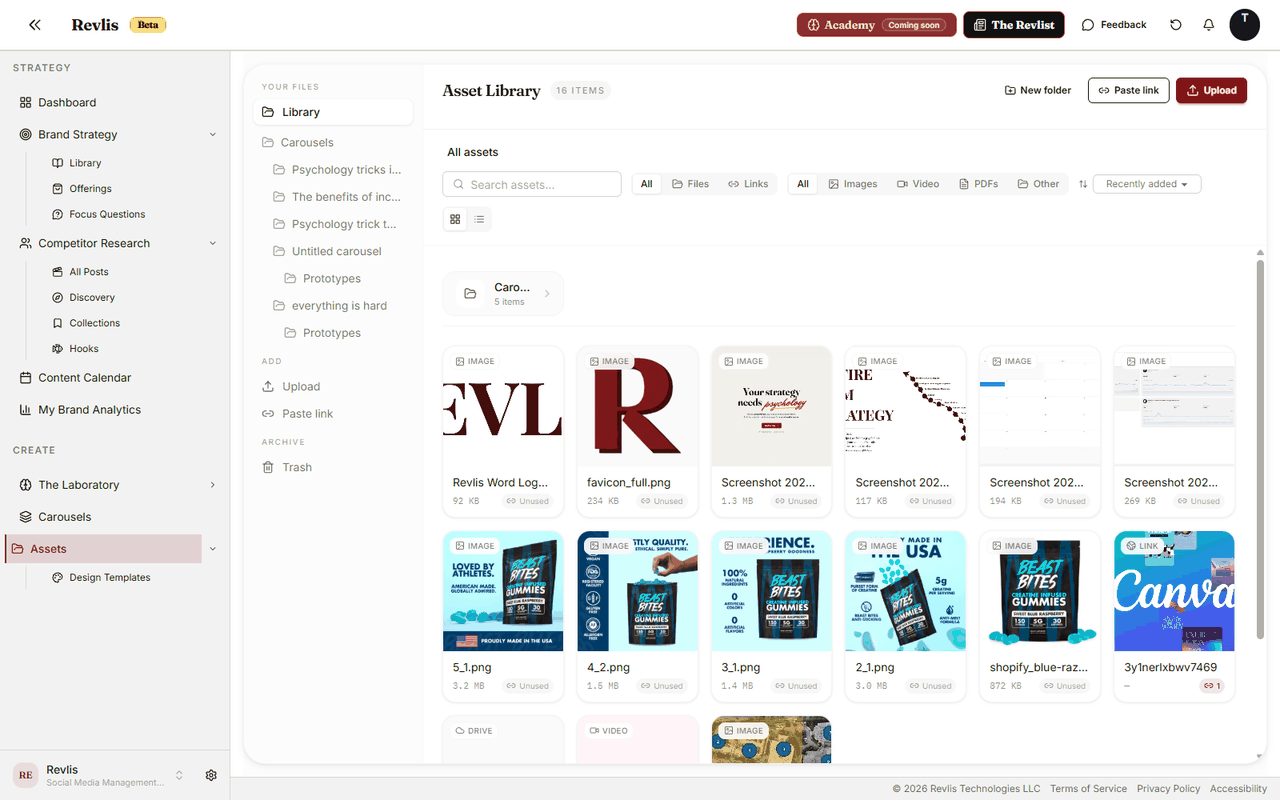
Assets is the file and link library for a brand. Store images, videos, PDFs, and external links so they are ready to attach to offerings, deliverables, carousel references, and other content work.
Everything in Assets is scoped to a specific brand. Open Assets from the main navigation to view the Active Brand's library.
Uploading files
Use the Upload pane to add files. Drag files onto the upload area or click to select them. Supported uploads include images, videos, and PDFs up to 50 MB per file.
Storage is subject to your plan's quota. A warning appears as you approach the limit, and uploads are blocked when the upload would exceed your storage cap.
Pasting links
The Paste link pane lets you save external links as assets. Use it for Google Drive files, Dropbox links, Canva designs, Figma files, or any web URL you want to keep with the brand.
When you add a pasted link directly inside a deliverable, Revlis can attach that external link to the deliverable without first saving it as a reusable library asset.
Folders
Organize assets into folders. Folders can be nested. Create a folder from the toolbar, rename or delete folders from their context menus, and drag assets or folders where they belong.
Viewing and sorting
Toggle between grid and list views. Sort by recently updated, name, or file size.
Filter the library by type, such as images, video, PDFs, or other. You can also filter by files or links.
| Use this when... | Choose... |
|---|---|
| You want to scan thumbnails | Grid view |
| You need names and file details | List view |
| You only need one type of asset | Type filters |
| You are cleaning up old files | Trash |
Trash
Deleted assets go to the Trash for 30 days before permanent deletion. Restore from Trash if you need to recover something.
Using assets
Assets can be attached to:
- Offerings: as reusable source material.
- Deliverables: as files or links attached to a piece of content.
- Carousels: as image references when generating a carousel.
- Design Templates: as reference images for template generation.