Overview
Revlis keeps strategy, research, scripts, approvals, files, and performance connected to the Active Brand. Start with the brand and its strategy, then add the parts of the workflow you need.
If you are new to Revlis, start with Brand Strategy, Audiences, and The Laboratory. Add Research, Calendar, Assets, and Analytics as your process grows.
Brands
Most work in Revlis starts with a Brand. A brand is the workspace for one company, client, business, or creator identity. It keeps that brand's strategy, research, scripts, assets, calendar, and analytics separate from your other work.
You can manage multiple brands depending on your plan. Switch between them with the brand selector in the app.
Learn more about Brand Management
Common paths
| Your goal | Useful Revlis areas |
|---|---|
| Build a clear content strategy | Brand Strategy, Audiences, Library, Offerings |
| Find ideas and creative patterns | Research, All Posts, Hooks, Video Styles, Collections |
| Write better scripts | The Laboratory, Blueprints, Focus Questions |
| Keep production organized | Calendar, Assets, Dashboard |
| Improve future content | Analytics, Research, Dashboard |
Start with strategy
Brand Strategy brings the reusable parts of a brand together. Use it to review the brand's positioning, voice, niche, subniches, audiences, offerings, content pillars, competitors, and platform plans.
Audiences is where you create and refine the people the brand wants to reach. You can build a profile manually or generate one from the brand's existing context.
Library stores reusable strategy cards for the Active Brand. Its main categories are Target Audience, Content Pillar, Subniche, Value Propositions, and Psychology.
Brand Strategy | Audiences | Library
Research your market
Research helps you learn from Instagram Reels and TikTok videos. Track creators, compare their performance, study their strategy and audience, and open individual posts for deeper analysis.
All Posts searches the shared research library. Hooks focuses on reusable openings. Video Styles explains recurring production formats and lets you save styles for future scripts. Collections keeps saved posts organized.
Create content
The Laboratory is where you write scripts. Add the audience, offering, focus question, hook, saved post, or other context that matters, then generate and edit the result.
Blueprints help you learn from a strong post without copying it. Use the post's hook, structure, style, or other selected components as references for an original script.
Carousels turns an idea, script, post, or deliverable into a multi-slide visual post. Revlis drafts the storyboard before it generates slide images.
The Laboratory | Using a Blueprint | Carousels
Keep useful materials organized
Offerings keeps the products, services, subscriptions, and lead magnets your brand promotes. It also stores buyer objections and alternatives that the Laboratory can address.
Focus Questions keeps audience questions and search queries ready to use as script topics.
Assets keeps brand files and links ready for offerings, deliverables, carousels, and production work.
Offerings | Focus Questions | Assets
Plan, review, and improve
Calendar moves content from idea to published post. Schedule deliverables, track production stages, attach scripts and assets, and share review links with clients.
Analytics shows how your own Instagram and TikTok accounts are performing. Connect accounts to track posts, growth, reports, and trends over time.
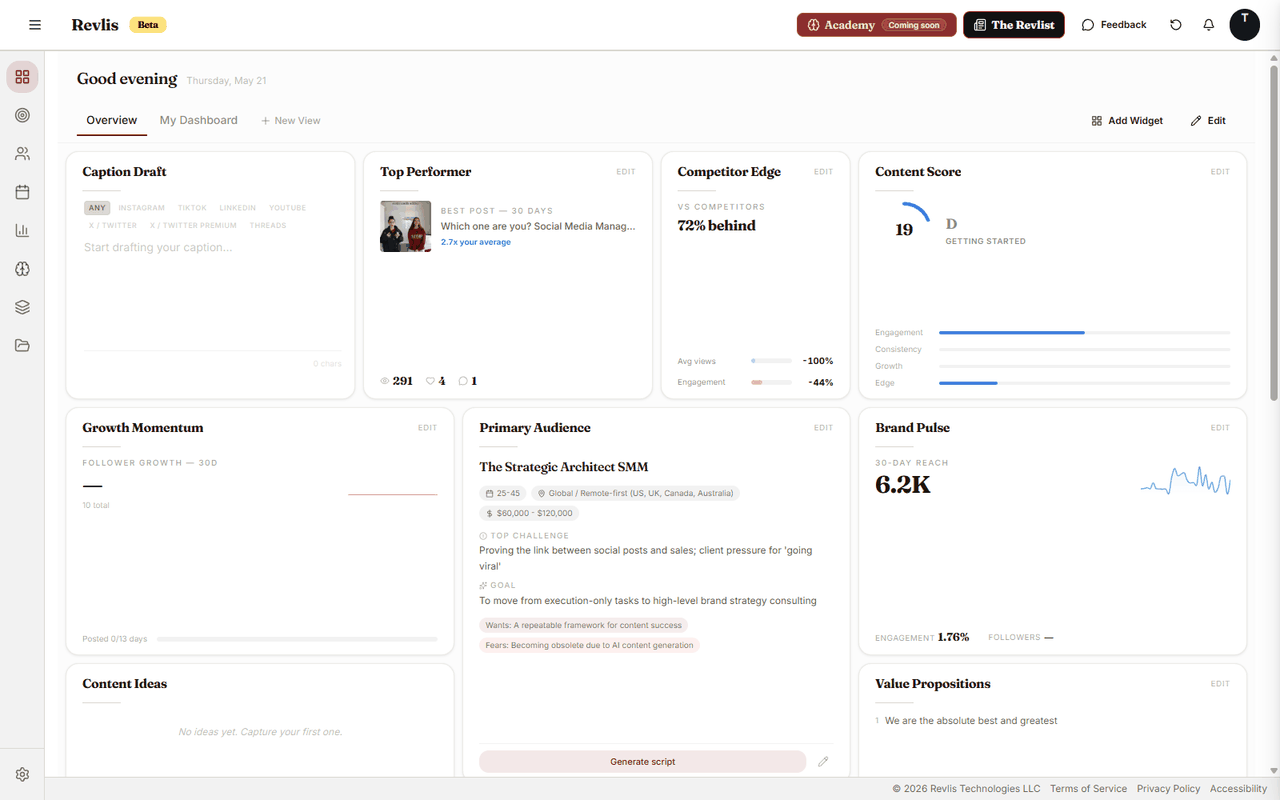
Dashboard is your flexible home base. Add the blocks you want to see often, such as analytics summaries, strategy cards, offering cards, checklists, or pinned Research posts.
Notifications keeps a brand-scoped log of background work, feedback, and activity that needs your attention.
Calendar | Analytics | Dashboard | Notifications
Move around quickly
Use the sidebar to browse each area. Press Ctrl+K, or Cmd+K on Mac, to open the command menu and jump directly to a page or action.