Research
Research helps you understand what is working in your niche. Track creators, compare their performance, study individual videos, and save useful examples for future content.
Research covers Instagram Reels and TikTok videos. Instagram Stories, photos, carousels, ordinary feed videos, and TikTok photo posts are not added to the research library.
Tracked creators
The Research home shows the creators you are tracking for the Active Brand. Each card gives you a quick read on account size, posting activity, and recent performance.
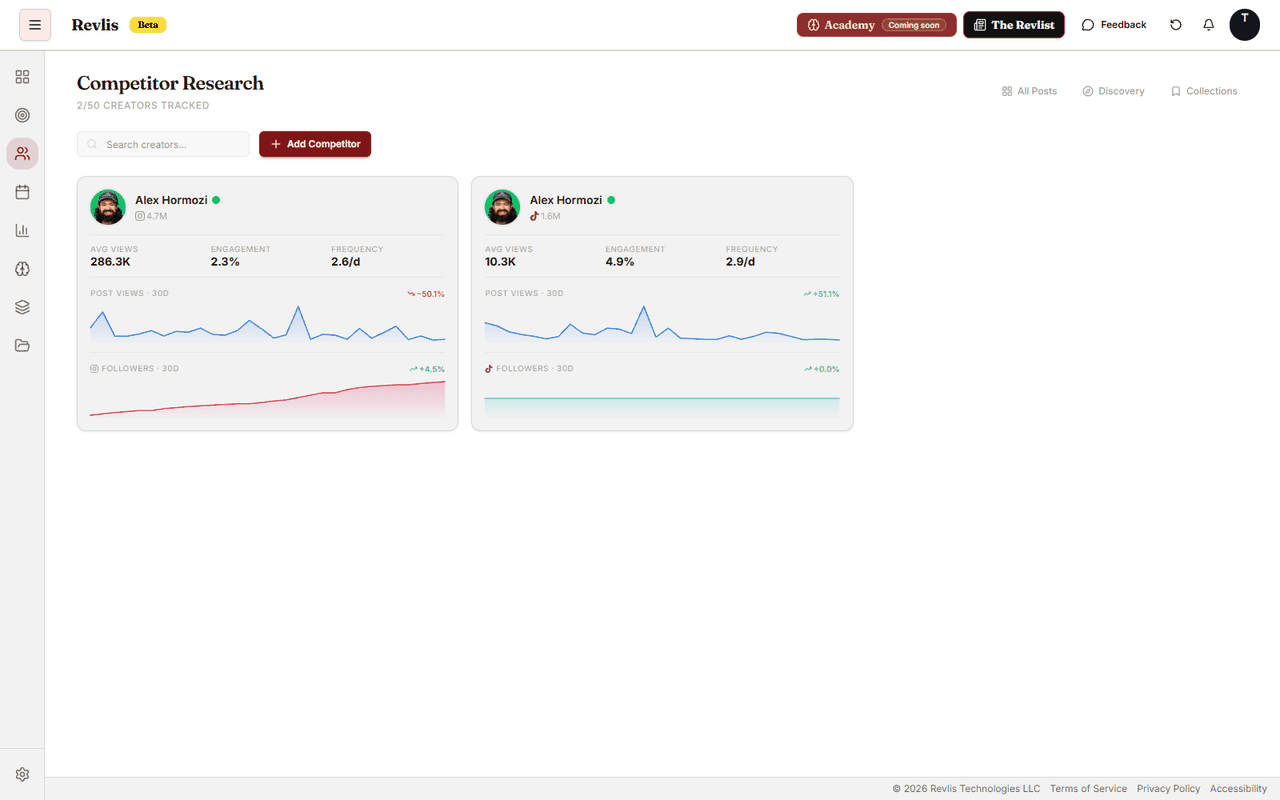
To add a creator, enter the username and choose Instagram or TikTok. Revlis gathers videos in the background, so the creator's coverage grows over time.
Tracking controls freshness, not ownership. Research posts belong to a shared library available to every plan with Research access.
Creator Detail
Click a creator to open the full analysis. Creator Detail is organized into five tabs:
| Tab | What it helps you see |
|---|---|
| Overview | Coverage, recent performance, top hits, and important hooks. |
| Numbers | Performance trends, posting patterns, and account-level metrics. |
| Steal their strategy | The recurring strategic patterns Revlis found across the creator's analyzed videos. |
| Audience | Audience profiles and awareness signals inferred from deeply analyzed videos. |
| Posts | The creator's posts with search, sorting, and analysis filters. |
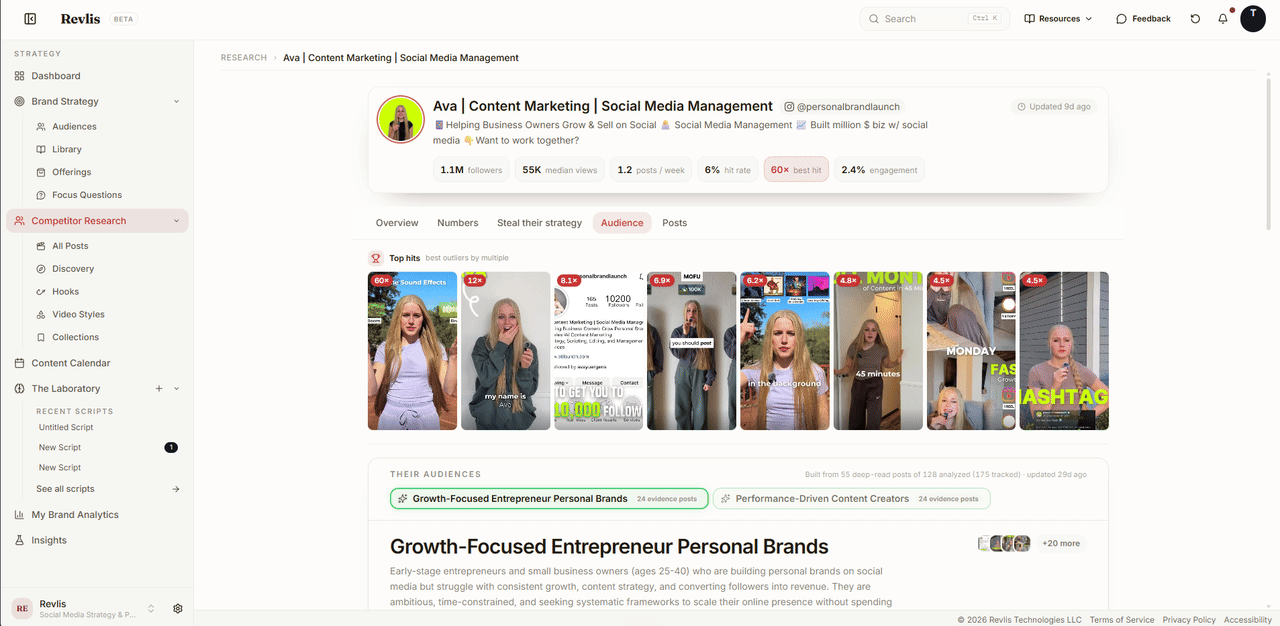
The Strategy and Audience tabs need deeply analyzed videos before they can fill in. Revlis labels a section when the analysis behind it is still missing.
Post Detail
Click a post to study how it works. The analysis can include:
- Hook Breakdown: the opening, curiosity gap, and similar hooks.
- Video Structure: the sequence of beats and moments that support retention.
- Video Style: the production format and delivery pattern.
- Message Angle: the idea, framing, and promise behind the post.
- Psychology Drivers: the emotional and persuasive mechanisms used.
- Reusable Takeaways: practical lessons you can apply to an original piece of content.
Post Detail also shows the transcript, performance context, creator information, and the evidence behind the analysis.
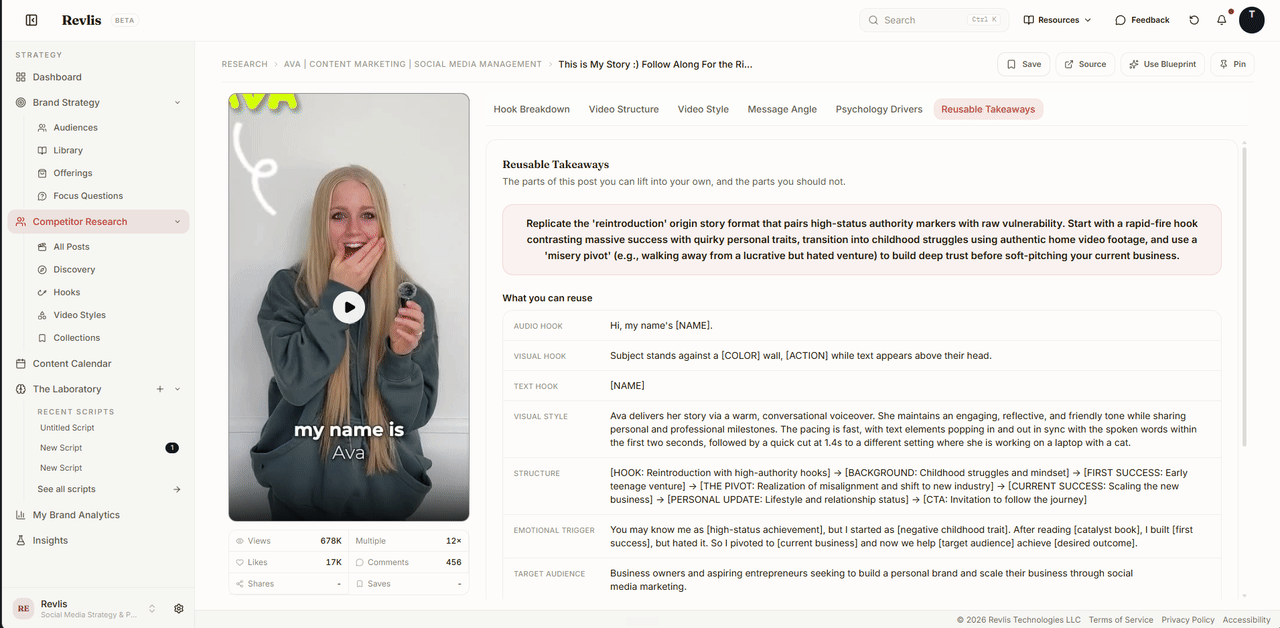
Post actions
| Action | What it does |
|---|---|
| Save | Adds the post to your saved Research posts or a collection. |
| Source | Opens the original post. |
| Use Blueprint | Adds the post to the active Laboratory script, or creates a script when needed. |
| Pin | Adds the post to a Dashboard view. |
See Using a Blueprint for the complete script workflow.
Discovery
Discovery searches TikTok posts by keyword, even when you are not tracking the creator. Use it to explore a topic, find examples, and save posts for later.
Instagram discovery is not yet available.
All Posts
All Posts searches and filters the shared research library.
Search checks meaning first, which helps when a post discusses your idea without using the exact words you entered. Revlis labels the result when it falls back to a keyword match.
The controls are:
- Platform and content type.
- Date range.
- Outliers and starred posts.
- Sort by relevance, date, views, likes, or engagement.
- Grid and compact views.
Use the outlier filter and performance sorting when you want unusually strong examples.
Hooks
Hooks is a dedicated workspace for browsing reusable openings found in analyzed posts. Search by hook, creator, or post, then filter by hook type and sort the results.
From a hook you can:
- Copy the hook text.
- Save it for later.
- Open the source post.
- Use it in a Laboratory script.
Collections
Collections separates saved references into Posts and Hooks.
In Posts, use All Saved to see every saved post or create named collections for a campaign, content series, topic, or creative direction. A post can belong to more than one collection. Search and sort saved posts when you need a particular reference, then add the post to the Laboratory as a Post card.
In Hooks, use All Saved to see every saved opening line or open a named hook collection. Save new hook references from the Hooks workspace.
Some Research surfaces depend on your plan. Revlis opens the upgrade screen when the Active Brand does not have access.