Video Styles
Video Styles is a library of repeatable short-form video formats. Each style explains how the format works and shows examples from different creators.
Use Video Styles when you know the topic of a script but want a clearer production or delivery pattern.
Browse the library
The Video Styles page has three views:
| View | What it shows |
|---|---|
| Featured | Curated styles that are useful starting points. |
| Search | Styles that match a name, creator, or production technique. |
| Saved | Styles saved for the Active Brand. |
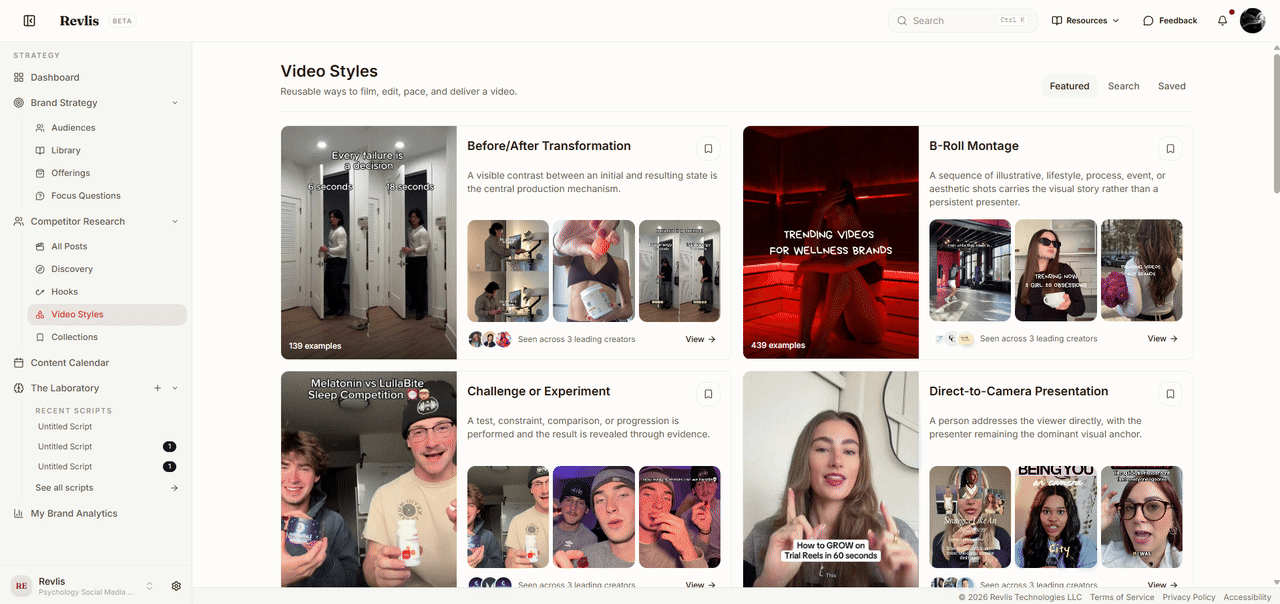
Each card gives the style a plain-language description, sample frames from real posts, and its number of examples. Search results group related styles together: a broad parent style can contain more specific versions for different cast sizes, filming methods, or delivery patterns.
Style detail
Open a style to see:
- A plain-language description of the format.
- How to use the style in your own content.
- Examples from different creators.
- More specific child styles, when the style has them.
- Leading creators associated with the style.
Open an example to study the source post's full Research analysis.
Save a style
Click Save Video Style to add a style to the Active Brand's Saved view. Use Remove from Saved when it is no longer useful.
Saving a style does not add it to a script. It keeps the style easy to find for future work.
Use a style in the Laboratory
Click Use in Laboratory from a style detail page. Revlis opens the script workspace and sets that style as the active Video Style.
You can also pick a Video Style from inside the Laboratory. Review the selected style alongside the script's audience, offering, post references, and other context before generating. See The Laboratory for how those pieces fit together.